

SSD & Hard Drives in Bangladesh
- Cash on deliveryPay when your parcel arrives
- 7-day exchangeWrong size or fit? We swap it
Products





SSD & Hard Drives
Transcend ESD420C 4TB 20Gbps Type-C Magnetic Portable SSD
৳1,53,000
was ৳1,63,000(6% OFF)
SSD & Hard Drives
Transcend ESD420C 1TB 20Gbps Type-C Magnetic Portable SSD
৳21,000
was ৳22,300(6% OFF)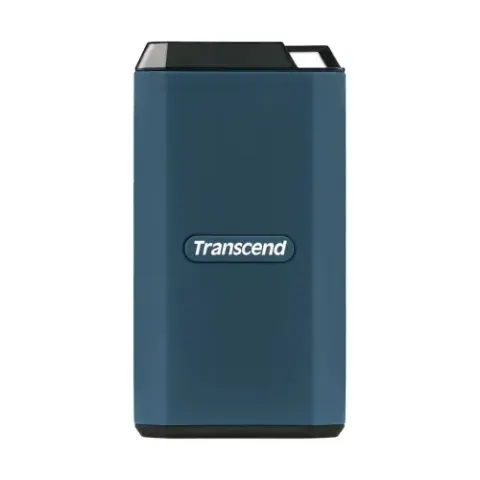


SSD & Hard Drives
Transcend ESD360C 2TB Type-C to USB Type-A Portable External SSD
৳45,500
was ৳46,500(2% OFF)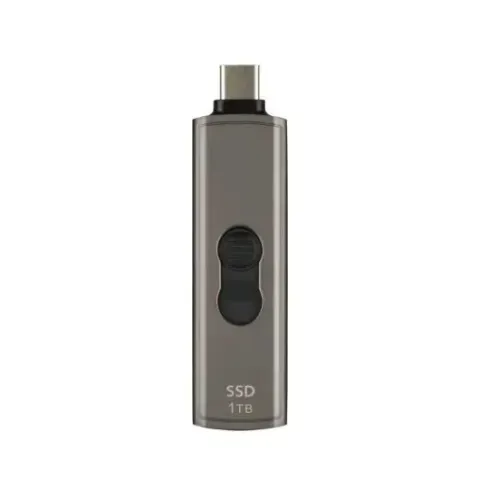


SSD & Hard Drives
TOSHIBA MG10-D 6TB 7200RPM 3.5" SATA III Enterprise HDD
৳26,800
was ৳29,450(9% OFF)
SSD & Hard Drives
TOSHIBA MG10-D 4TB 7200RPM 3.5" SATA III Enterprise HDD
৳22,000
was ৳23,600(7% OFF)


SSD & Hard Drives
Team T-FORCE G70 PRO 2TB M.2 PCIe NVMe SSD With DRAM Cache & Aluminum Heatsink
৳58,000
was ৳63,800(9% OFF)


SSD & Hard Drives
SanDisk Extreme 500GB M.2 NVMe PCIe Gen 4.0 Internal SSD
৳13,000
was ৳17,500(26% OFF)


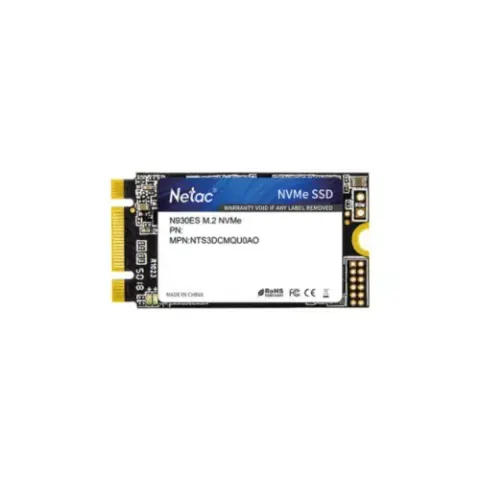


A fast drive is the easiest way to make an old or new computer feel quicker, and a large one holds your photos, videos and games. SSD and hard drives in Bangladesh include SATA SSDs, NVMe M.2 SSDs, internal HDDs and portable external drives. Compare capacity, interface and speed on ShopeMart, and order with cash on delivery across Bangladesh.
SSD or HDD?
- SSD: no moving parts, very fast, silent and shock resistant. Best for Windows, games and apps.
- HDD: spinning disks that offer the most storage for the lowest cost per terabyte. Best for backups, photos and videos.
- Both together: many desktops use an SSD for the system and an HDD for large files.
SATA, NVMe and M.2
A 2.5 inch SATA SSD works in almost any laptop or desktop and is a safe upgrade for older machines. NVMe SSDs plug directly into an M.2 slot and are many times faster, with PCIe 3.0, 4.0 and 5.0 generations. Check that your board or laptop has an M.2 NVMe slot and supports the PCIe generation. Note that some M.2 slots only accept SATA drives, so read the manual.
How to choose capacity and speed
- Capacity: 256GB is a minimum for the system, 512GB is comfortable, and 1TB or more suits gamers and editors. The usable space shown in Windows is a little lower than the label.
- Speed: read and write numbers help, but for everyday tasks any good NVMe or SATA SSD feels fast.
- Endurance: TBW tells you how much data can be written before wear. Home users rarely reach it.
- External drives: USB 3.0 and above, or USB-C, give much faster copying than USB 2.0.
Data safety tips
Back up important files to a second drive or cloud storage, as every drive can fail. Keep external drives away from drops and wet hands, remove them safely, and avoid unplugging during file transfer. Heat is common in summer, so fit a heatsink on a hot NVMe SSD.
Before you order
When you buy SSD and hard drives in Bangladesh, read the specifications for interface, size and capacity on the product page. On delivery, check the sealed packaging, then format the drive and test it with a capacity tool to confirm the full space shows up.
Frequently asked questions
Is NVMe better than SATA SSD?
NVMe is faster on paper and in large file transfers, but a SATA SSD still feels fast in daily use. Choose NVMe if your board has the M.2 slot.
How much SSD storage do I need?
256GB is the minimum for Windows and a few apps, 512GB is comfortable, and 1TB is better for games and creative projects.
Can I use an SSD in an old laptop?
Yes, most laptops from the last ten years accept a 2.5 inch SATA SSD. Newer ones may also have an M.2 slot, so check the model.
Why does my 1TB drive show less space?
Drive makers count 1TB as one trillion bytes, while Windows counts in binary units, so you see about 931GB. This is normal.
Should I buy an HDD or SSD for backups?
An HDD gives more terabytes for less money, so it suits large backups. Keep a second copy elsewhere for important files.
বাংলায় জেনে নিন
এসএসডি, এনভিএমই ও এইচডিডি এবং এক্সটার্নাল হার্ড ড্রাইভ দেখুন। ক্যাপাসিটি, ইন্টারফেস ও স্লট মিলিয়ে বেছে নিন। গুরুত্বপূর্ণ ফাইলের ব্যাকআপ রাখুন এবং ক্যাশ অন ডেলিভারিতে সারা বাংলাদেশে অর্ডার করুন।